 blog
9 Best Wellness Tracking Apps 2026: Tested and Ranked
Last Updated: November 7, 2026
Quick Summary
The best wellness tracking apps in 2026 turn vague feelings into visible patterns across sleep, energy, and physical health, and we judged them on pattern recognition, breadth of tracking, data portability, free-tier honesty, and adherence design. The strongest free tiers keep manual logging and a readable weekly view free, while deeper analysis and long history sit behind a subscription.
- Check the history limit first, since a 7-day window cannot reveal a recurring symptom pattern.
- Look for CSV export on the free plan, not just the paid one, before building months of logs.
- Start with three variables: sleep quality, energy, and your primary symptom.
- Apple Health does not deduplicate, so set one app as the priority source.
- Log one week, then export it and open the file to test data ownership.
Table of Contents
- How We Chose the Best Wellness Tracking Apps for 2026
- The Best Wellness Tracking Apps 2026 Free Options
- Best Wellness Tracking Apps 2026 iPhone Picks
- Best Wellness Tracking Apps 2026 Android Picks
- The Best Health Tracker App for Chronic Illness
- Privacy, Data Ownership, and Interoperability
- The Limits of Wellness Metrics and Whole-Person Tracking
- Start Your Free Wellness Quiz with BODY ALERT
- Frequently Asked Questions
How We Chose the Best Wellness Tracking Apps for 2026
Wellness tracking apps in 2026 do one thing well: they turn vague feelings into visible patterns. That is the promise, and it is also where most of them fall short. We read this category closely with the same principle in mind. Our selection criteria were simple: does the app help you notice recurring signals across sleep, energy, and physical health, or does it just pile on numbers you never act on?
We judged every app on five things:
- Pattern recognition over single readings. A bad night is noise. Three bad nights in a row is a signal.
- Breadth of tracking. Sleep, energy, mood, activity, and symptoms in one place.
- Data portability. Can you export your history, or is it locked in?
- Free-tier honesty. What you actually get without paying.
- Adherence design. Will a busy person still open it in week six?
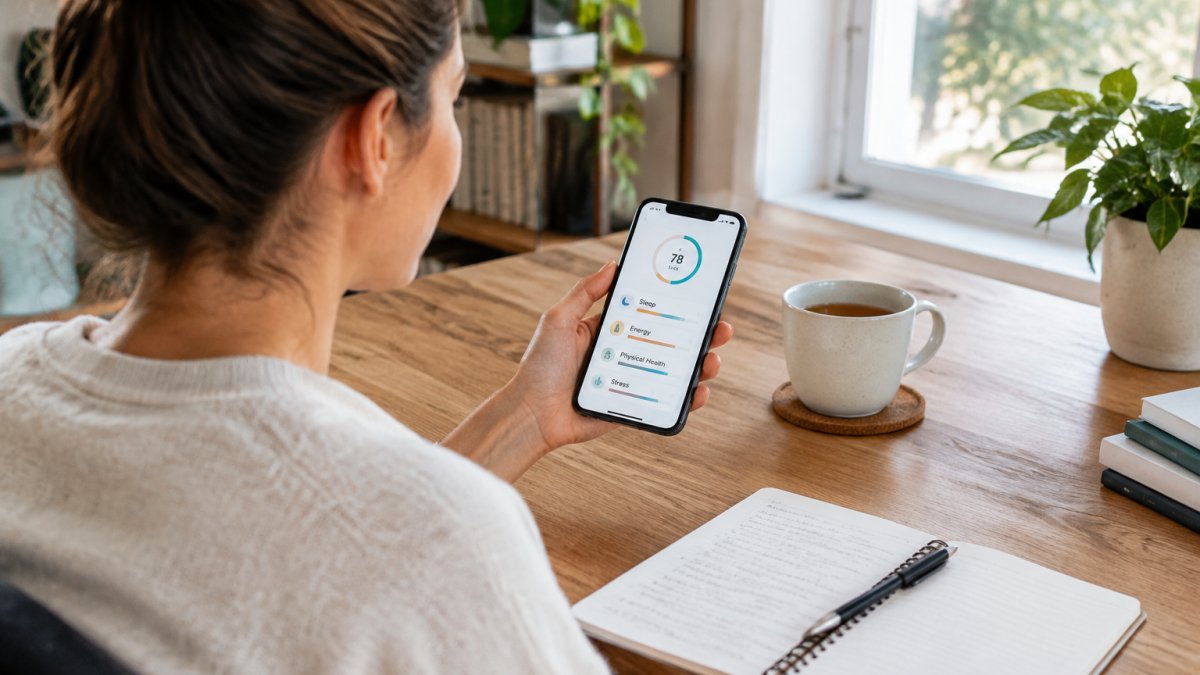
One caveat before the list. What follows is an editorial assessment based on documented features, published privacy policies, and how each app fits real routines.
The Best Wellness Tracking Apps 2026 Free Options
Free is where most people start, and it is where most apps quietly disappoint. The strongest free tiers in 2026 follow a predictable pattern: full manual logging and a readable weekly view stay free, while deeper analysis, coaching, or long-history access sits behind a subscription.
The free options worth your time share three traits: no hard paywall on core logging, a weekly view you can actually read without squinting, and either a real export option or a plainly written data policy. Here is how the free tiers break down by app type, with the specific limits you will hit.
| App type | What the free tier actually gives you | Where the paywall usually lands | Best for |
|---|---|---|---|
| Habit and mood loggers | Daily check-ins, streaks, basic charts, limited history (often 7-30 days) | Advanced insights, unlimited history, extra trackers | Building the logging habit without spending |
| Fitness-first trackers | Step and workout logging, basic sleep duration, community features | Training plans, recovery scores, detailed sleep stages | Active users who already wear a watch |
| Sleep-focused apps | Sleep timing, simple quality rating, one alarm | Detailed stage analysis, sound recordings, long-term trends | Fixing bedtime routines |
| Whole-person platforms | Self-observation questionnaires, snapshot reports, limited re-takes | Deep-dive assessments, longitudinal pattern views | Pattern spotting across symptoms |
A few concrete free-tier mechanics worth knowing before you commit:
- History caps are the most common trap. Many free tiers show only the last week or month of data. If you are tracking a recurring symptom, a 7-day window is useless, you need at least six to eight weeks to see a pattern. Check the history limit first.
- Export is often paywalled even when logging is free. An app that lets you log for free but charges to export your own history is effectively holding your data. Look for CSV export on the free plan, not just on the paid one.
- Widgets and watch apps are frequently premium. Quick check-ins are the difference between a habit that survives week six and one that dies in week two, so confirm the widget is free before you rely on it.
- Free tiers change without much notice. An app that offered unlimited history last year may cap it now. Re-check the current plan page before you build a long log inside it.
If you want to try a structured free assessment before committing to any subscription, you can take the Body-Alert Free Wellness Quiz to see how a wellness snapshot reads.
Watch out: "free" apps that monetize through advertising or data partnerships are not really free, you are paying with your health data. If the privacy policy mentions "partners" or "service providers" in the context of advertising, treat the free tier as a data trade, not a gift.
Best Wellness Tracking Apps 2026 iPhone Picks
iPhone users have an advantage most people never use: the Health app. Any wellness tracking app worth installing should be able to read from and write to Apple Health, because that is what makes cross-platform tracking possible later. If an app keeps your data entirely to itself, treat that as a design choice with consequences.
Apps worth considering on iPhone tend to offer clean Apple Health integration, widget support for quick check-ins, and Apple Watch compatibility for heart rate data. Those three signals are the most useful recovery indicators a wrist wearable can give you, and they are only valuable if something helps you compare them over weeks.
A practical habit: put the check-in widget on your home screen. Logging that takes four taps gets done; logging buried three menus deep does not.
Best Wellness Tracking Apps 2026 Android Picks
Android's strength is device compatibility. Health Connect now lets many apps share activity, sleep, and heart rate data, which reduces the duplicate logging problem that plagued Android users for years. The best wellness tracking apps on Android take advantage of that and sync with whatever wearable you already own rather than pushing you toward one brand.
Look for three things:
- Health Connect support for data synchronization across apps
- Wearable integration beyond the manufacturer's own devices
- A real export option, usually CSV, so your history is not trapped
The trade-off is fragmentation. Fewer Android apps match the polish of their iOS counterparts, and sleep stage accuracy varies widely by device. Treat sleep stage breakdowns as directional, not diagnostic.
The Best Health Tracker App for Chronic Illness
For chronic illness, the question changes. You are not optimizing performance; you are looking for triggers. The best health tracker app for chronic illness is one built around recurring symptom patterns, not daily scores. A single headache tells you little. The same headache appearing three days after poor sleep, for six weeks, tells you something worth discussing with your doctor.
This is exactly why tracking over weeks matters more than any single entry. Understanding why recurring symptoms deserve pattern-level tracking explains the reasoning in more depth.
What to look for:
- Custom symptom tracking with severity, timing, and duration
- Correlation views that line symptoms up against sleep, stress, and mood
- Medication and cycle logging where relevant
- Easy export for appointments
A common mistake is tracking too many variables at once. Start with three: sleep quality, energy, and your primary symptom. Add more only when those three become habit.
Privacy, Data Ownership, and Interoperability
Health data is the most sensitive data most apps will ever hold, and the wellness category has a mixed record. Most ranking lists skip this entirely, they compare features and pricing and never ask who ends up holding your symptom log. This section is the gap we think matters most in 2026, because the apps that win on features are not always the apps that win on data stewardship.
Before you log months of symptoms, read the privacy policy and answer four questions:
- Can you export your full history? If not, you do not own it. Look for CSV or JSON export that includes timestamps, not just a PDF summary.
- Is data shared with advertisers or third parties? Search the policy for the words "partners," "service providers," and "advertising." A wellness app that monetizes through ads is monetizing your health signals.
- Is it covered by health privacy law? Consumer wellness apps may fall outside health privacy law such as HIPAA, which is why the FTC guidance on health data and consumer apps matters here. The FTC has taken action against apps that shared health data despite privacy promises, so the policy is not just boilerplate.
- Can you delete it completely? Not just deactivate the account. Ask whether deletion removes backups and derived data, or only the visible entries.
Interoperability is the practical side of the same coin. An app that syncs through Apple Health or Health Connect lets you change tools without losing your history. One that does not turns a free choice into a hostage situation.
Here is how the two main platforms actually handle it, because the mechanics differ:
- Apple Health acts as a central store on iPhone. Apps can read from and write to it, but Apple Health does not deduplicate for you, if two apps both log steps, you can end up with double-counted totals unless you set one app as the priority source. Check each app's settings for a "priority" or "source order" control.
- Health Connect on Android performs a similar role but with more granular per-app permissions. You can grant read-only access to sleep data while denying write access, which reduces the duplicate-record problem. The trade-off is that fewer apps support it fully, so verify support before you rely on it.
- Wearable ecosystems (Apple Watch, Garmin, Fitbit, Samsung) often sync best with their own apps first. Third-party wellness apps that integrate with multiple ecosystems are the ones that let you switch hardware without starting over.
A practical test before you commit: log one week in the app, then try to export it and open the file. If the export is missing fields, unreadable, or paywalled, you have your answer about data ownership before you have invested months.
Watch out: an app that syncs with Apple Health or Health Connect is not automatically privacy-safe, since it may still upload that data to its own servers. Sync and confidentiality are separate questions to ask separately.
The Limits of Wellness Metrics and Whole-Person Tracking
Every number an app shows you is an estimate. Steps are approximated, calories burned are modeled, sleep stages are inferred from movement and heart rate. Tracking accuracy varies by device and by person, and no consumer app diagnoses anything.
That is not a reason to skip tracking. It is a reason to read the numbers as reflections rather than verdicts. If you want help interpreting a snapshot without treating it as medical advice, our guide to reading your wellness snapshot overview walks through it.
Whole-person tracking starts from a different premise: your body works as one connected system, and a symptom is a signal rather than an isolated fault. We wrote about why single symptoms are just signals for exactly this reason.
The honest position: apps are good at showing you patterns you would otherwise miss. They are not good at telling you what those patterns mean. That conversation belongs with a qualified professional, and tracking simply gives you better material for it.
Start Your Free Wellness Quiz with BODY ALERT
If you have read this far, you already suspect that the missing piece is not another dashboard. It is a habit of noticing.
BODY ALERT™ offers a structured wellness self-reflection platform. It uses the BODY-11 self-observation framework to help you map recurring signals across sleep, energy, and physical health, and provides personalized wellness snapshots you can reflect on over time. It is an educational self-reflection tool, not a medical device, and it is designed to sit alongside your existing care rather than replace it.
A simple way to start is to pick one week, log the same three signals each evening, and see what repeats.
Start Free Wellness Quiz to begin.
The hardest part of tracking is not finding an app. It is keeping the habit past week two. BODY ALERT™ is built to make that easier, with the BODY-11 self-observation framework, personalized wellness snapshot reports, and premium deep-dive assessments when you want to go further. No scores to chase, just patterns worth noticing. Get started with BODY ALERT™ and build a clearer picture of your body's quiet signals.
Frequently Asked Questions
What are the top 5 wellness apps?
The top five wellness tracking apps for 2026 depend on your goals, but strong options exist across key categories. For all-around health tracking, apps that combine sleep, activity, and nutrition in one dashboard perform best. For free plans, look for apps that offer core tracking without a subscription. iPhone users benefit from deep Apple Health integration, while Android users should prioritize apps with Google Fit compatibility. For chronic illness, apps with symptom logging and pattern recognition stand out. BODY ALERT also offers a structured self-observation framework worth considering alongside these tools.
Which wellness tracking apps are free?
Many wellness tracking apps offer a free tier with core features like step counting, basic sleep tracking, and simple workout logging. Free plans often limit advanced insights, historical data, or integrations with wearables. When comparing free options, check what data you can export and whether the app requires an account. Some apps keep the essential tracking free and charge for personalized plans or coaching. BODY ALERT offers a Free Wellness Quiz; pricing for any additional assessments is available on the BODY ALERT website.
Can an app track sleep, activity, and other health metrics in one place?
Yes, several wellness tracking apps combine sleep stages, activity, heart rate, and nutrition in a single dashboard. The best options sync with wearables and phone sensors to reduce manual entry. Accuracy varies by metric: step counts and sleep duration are generally reliable, while calorie intake and stress scores rely on user input and estimates. Look for apps that clearly label estimated data and let you correct entries. Cross-platform tracking and data synchronization are key if you use multiple devices.
What is the best health tracker app for chronic illness?
The best health tracker app for chronic illness prioritizes symptom logging, medication reminders, and pattern recognition over workout metrics. Look for apps that let you track fatigue, pain, mood, and sleep quality alongside activity, then review trends over weeks. Data export and sharing with your doctor are essential. BODY ALERT's BODY-11 framework is designed to help identify recurring physical and lifestyle patterns. Always discuss tracking insights with a qualified professional rather than self-diagnosing.
